How-to · Scanned PDFs and OCR
How to extract text from a scanned PDF
Short answer
A scanned PDF holds pictures of pages, so there is nothing to select until something reads those pictures. Run the file through OCR a PDF and you get back searchable.pdf: the original page images with a recognized text layer underneath. From there you have two routes. Select and copy straight out of that PDF when you want a paragraph, a table cell, or an address. Convert it to Word when you need a document you can rewrite.
If all you need is for Ctrl+F to find things, the guide to making a scan searchable covers that job on its own. This one is about getting the words out.
Route 1: OCR the scan, then copy from it
-
Open OCR a PDF and upload the scan. It takes one PDF at a time, up to 60 pages and 50 MB.
-
Pick the language of the document. There are 13: English, Spanish, French, German, Italian, Portuguese, Dutch, Russian, Arabic, Hindi, Urdu, Chinese (Simplified) and Japanese. The wrong choice costs you accented characters.
-
Run it and download searchable.pdf. A deskew and despeckle pass runs before recognition, so a slightly crooked or speckled scan does not need straightening first.
-
Open the result in any PDF reader and drag over the words as usual, then copy and paste. The text sits invisibly under the page image, so the highlight can look slightly offset from the printed characters. That is expected.
OCR a PDF
Make scanned PDFs searchable
Free · no signup · files deleted in 60 minutes
Route 2: OCR, then convert to Word
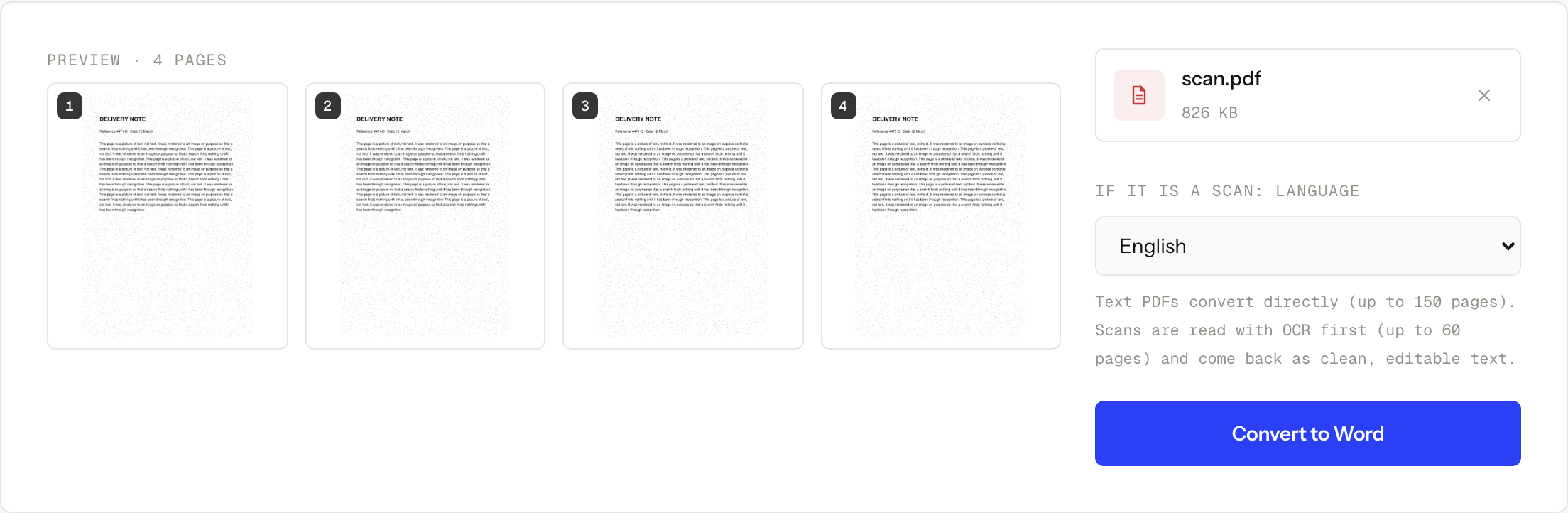
When you need to edit rather than quote, convert the document instead: PDF to Word returns a .docx. It accepts a scanned PDF directly and recognizes it first, so you can skip straight there. The cap for a scanned file is 60 pages, the same ceiling as OCR, against 150 pages for a PDF that already carries text.
Running OCR yourself first is still worth it when you want to keep the searchable PDF as well, or when you want to see how clean the recognition is before you start fixing layout.
The layout is the real trade-off. A PDF stores placement, Word stores flow, so columns, exact spacing and complex tables are where the conversion degrades. Budget time for repairing the shape of the document, not just the words.
Proofread the fields, not the prose
Recognition errors are not spread evenly, and reading the paragraphs is a poor way to find them. Prose survives a swapped character because you read the word, not the letters. An invoice number does not.
The substitutions that survive recognition are the ones that look alike at small sizes, and they cluster in exactly the fields you cannot afford to get wrong:
0andO,1andlandI,5andS,8andBrnread asm,clread asd,vvread asw
Check reference numbers, account numbers, dates, postcodes and surnames character by character against the page image, which is still sitting right there above the text layer. Tables deserve the same treatment: a column that looks correct can still have picked up a stray character from a ruled line.
If a page is too poor for recognition to be worth trusting, the fix is at the scanner, not in software. Flat page, even light, straight on, no shadow across the text.
If the file is too big to upload
The per-file limit is 50 MB, which large photographed scans can exceed. Shrink a working copy first: our guide on compressing a scanned PDF explains which level to pick. Compression can soften the page image, so compress no further than you need to and check the small text afterwards. A file that is over 50 MB is also over the compressor’s own upload cap, so rescan it at a lower size or use approved local software.
When this won’t work
- The scan runs past 60 pages. OCR takes 60 pages per job and PDF to Word takes 60 for a scanned file. Split the document into parts and process them one at a time.
- The language is not one of the 13 we support. Recognition needs the right model. A language outside that list will come back as noise, not text.
- A page that already carries a recognized text layer is left alone. Running OCR again does not repair a bad one. A page of real, born-digital text is skipped for the same reason, which is what keeps clean pages clean. The case in between is handled: a page that mixes printed text with a picture, and has never been through recognition, gets a second targeted pass that masks the text it already has and reads the picture, so a scanned page under a typed heading does not get missed.
- The source image is unreadable. Glare, motion blur, a page shot at an angle, words cropped at the edge: recognition reads what the camera captured and cannot recover what was never there.
- Policy says the document cannot leave your control. Automatic deletion after about 60 minutes does not override a workplace, school, legal or healthcare rule against third-party processing. Use approved local software for those files.
Questions
Can I get a plain text file instead?
Yes, with one step first. Our PDF to Text tool returns a .txt with a marker at the start of every page, but it only extracts text a PDF already holds, so on a raw scan it will tell you there is nothing to extract. Run OCR first, then put the searchable PDF through PDF to Text and you get the .txt.
Do I have to run OCR before converting to Word?
No. PDF to Word recognizes a scanned file itself, at a limit of 60 pages. Run OCR first when you also want to keep the searchable PDF, or when you want to judge recognition quality before dealing with layout.
Why does the copied text contain odd characters?
Recognition works from the shape of each character, so lookalike pairs get swapped. Read the copied text against the page, and check names and numbers character by character.
How many pages can I do at once?
OCR takes up to 60 pages per job. PDF to Word takes up to 60 pages for a scanned PDF and up to 150 for a text-based one. Split a longer document into parts and process them separately.
What happens to the file I upload?
It travels over HTTPS, is used only for that job, and the upload and the result are deleted automatically about 60 minutes later. There is no signup and no watermark.
OCR a PDF
Make scanned PDFs searchable
Free · no signup · files deleted in 60 minutes
The rest of this topic
Related guides