How-to · PDF passwords
How to remove a password from a PDF you know
Short answer
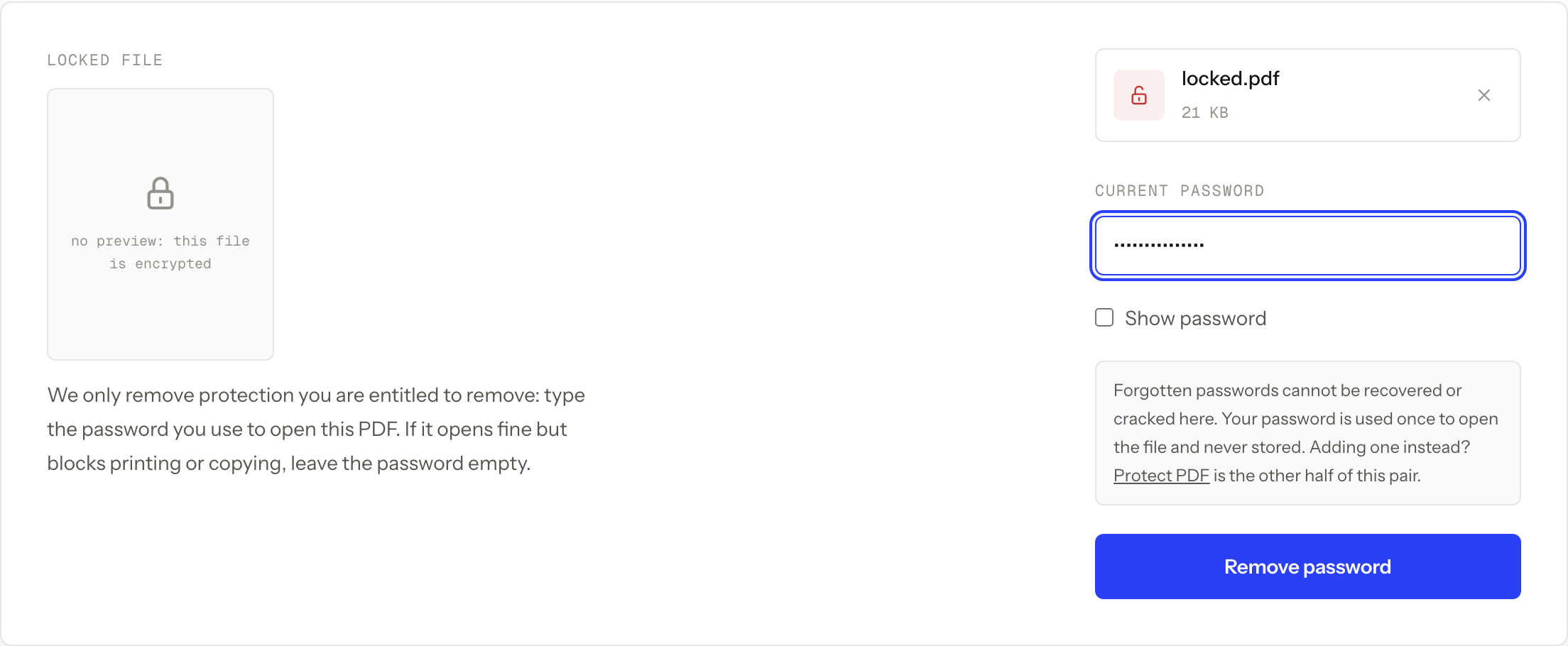
Unlock PDF removes a password you already know. Add the file, type that password, and download a copy that opens without it. If the PDF opens for everyone but blocks printing or copying, leave the password field empty and the tool lifts those restrictions instead. What no tool can do, here or anywhere, is open a file whose password you have lost. We cannot crack, guess, or recover it.
That boundary is the whole reason this page is short and honest rather than hopeful.
Remove the password
-
Open Unlock PDF and add the PDF. Each file can be up to 50 MB.
-
Type the password you already know. If the file opens for you without any prompt and only printing, copying, or editing are blocked, leave the field empty.
-
Run the job and download the unlocked copy. The protected file on your device is not touched.
-
Open the download and check it: no password prompt, and the action you needed (printing, copying, or feeding it to another tool) now works.
Unlock PDF
Remove a password you already know
Free · no signup · files deleted in 60 minutes
The two protections that look identical
A PDF can carry an open password, which means the file cannot be decrypted or displayed without it, or owner restrictions, which mean anyone can open the file but a cooperating viewer is asked to block printing, copying, or editing.
From the outside they both read as “the PDF is locked”. They are removed differently. The first needs the password. The second needs nothing, because the restriction is a flag the file carries rather than a secret, which is why owner restrictions were never a real confidentiality control. The guide to password protecting a PDF explains which one you should be adding when you are on the other side of this job.
Keep the encrypted original, work on the copy
The unlocked download is a second file. Keep the protected original somewhere safe rather than replacing it, at least until you have opened the copy and confirmed the pages are all there.
There are two practical reasons. If the download is wrong in some way, the original is your clean starting point. And if you ever need to send the document on again, re-protecting the original with the known password is simpler than reconstructing it.
Unlocking is usually a step rather than a destination. Most people land here because another tool refused a protected input, which is exactly the situation described in why a password-protected PDF will not merge. Do the unlock, do the real job on the copy, then delete the unlocked working file when you are finished with it.
If you do not know the password
There is no technique on this site, and no service anywhere, that opens a properly encrypted PDF without its password. Recovery products advertise otherwise. What they can actually do is guess, which only works when the password was short or obvious in the first place.
The routes that do work are all human ones. Ask the person or system that generated the file, since bank and payroll PDFs are often locked with a predictable value like a date of birth or the last digits of an account number that the sender can confirm. Check the place you store passwords. Or go back to whatever produced the document and export a fresh copy.
Before you upload
The file goes to our server for the job, over HTTPS, and both the upload and the result are deleted automatically about 60 minutes later. There is no account, no watermark, and no daily limit.
Automatic deletion is not the same as never leaving your device. A protected PDF is protected for a reason often enough that it is worth pausing: if the document is covered by a workplace, school, legal, or healthcare rule against third-party processing, unlock it in approved local software instead. The typed password deserves the same thought as the file.
When this won’t work
- You do not know the password. Nothing on this page helps, and no product that claims otherwise can deliver it for a properly encrypted file.
- The file is larger than 50 MB. That is the per-file upload cap. Use approved desktop software rather than working around it.
- Your policy forbids uploading the document. Deletion after about an hour is a retention limit, not local-only processing.
- The PDF is damaged rather than locked. If a viewer fails on a file that never asked for a password, unlocking will not fix it. That is a different job: Repair PDF rebuilds a file with a broken cross-reference table, a download that was cut short, or junk bytes in front of the header. It repairs the structure, not the content, and it will not remove encryption.
- You expected the original to change. You get a new unlocked copy. The protected file stays as it was, which is deliberate.
Questions
Can you remove a password I do not know?
No. We cannot crack, guess, or recover a password, and neither can anyone selling a recovery service for a properly encrypted file. Ask whoever created the PDF, or check wherever you save passwords.
The PDF opens fine but I cannot print it. What do I type?
Nothing. Leave the password field empty. That file carries owner restrictions rather than an open password, so the restrictions come off without one.
Does my original file change?
No. You download a new unlocked copy and the protected file on your device is untouched. Keep it until you have checked the copy.
Is the unlocked copy still encrypted?
No. It opens with no prompt, so treat it like any other unprotected document. If the password was there for a reason, do not leave the unlocked copy in shared storage or attach it to an email.
What happens to the file I upload?
It travels over HTTPS and is used only for that job, and the upload and result are deleted automatically about 60 minutes later. That does not override a workplace, school, legal, or healthcare rule that forbids third-party processing.
Unlock PDF
Remove a password you already know
Free · no signup · files deleted in 60 minutes
The rest of this topic
Related guides